From a folder of documents to a pack someone has checked.
An Assurance run has six steps. Three are done by AI, one by your reviewer and one by fixed rules. You start it and you decide when it is good enough.
- 1
Upload
YouA few minutesDrop in policies, handbooks, training records and logs. PDF, Word, plain text and scanned pages all work; scans are read with text recognition.
- 2
Identify
AIAutomaticThe AI works out what each document is and how sure it is. You can correct the type if it is wrong.
- 3
Extract
AIAutomaticEach document is read against the obligations it could support. The AI says whether it is evidence, quotes the passages and lists what is missing. Every quote is checked against the source.
- 4
Find the gaps
AIAutomaticThe findings are combined into a list of gaps across all your documents, each with a severity and a suggested fix.
- 5
Review
Your reviewerAt your pace, within 14 daysA compliance professional, or the owner, accepts, corrects or rejects. Critical and low-confidence findings must be reviewed. A run left for 14 days is closed and must be run again.
- 6
Build the pack
Fixed rulesAutomaticThe reviewed results are frozen and the pack is assembled from them. No AI is involved at this step.
Who decides what.
- Stage 1
AI reads
Works out what each document is and quotes the passages that are evidence for each obligation.
- Stage 2
People check
A named person accepts, corrects or rejects every finding that matters. Nothing is accepted automatically.
- Stage 3
Rules assemble
Fixed rules build the pack from the checked results. Build it again and you get the same content.
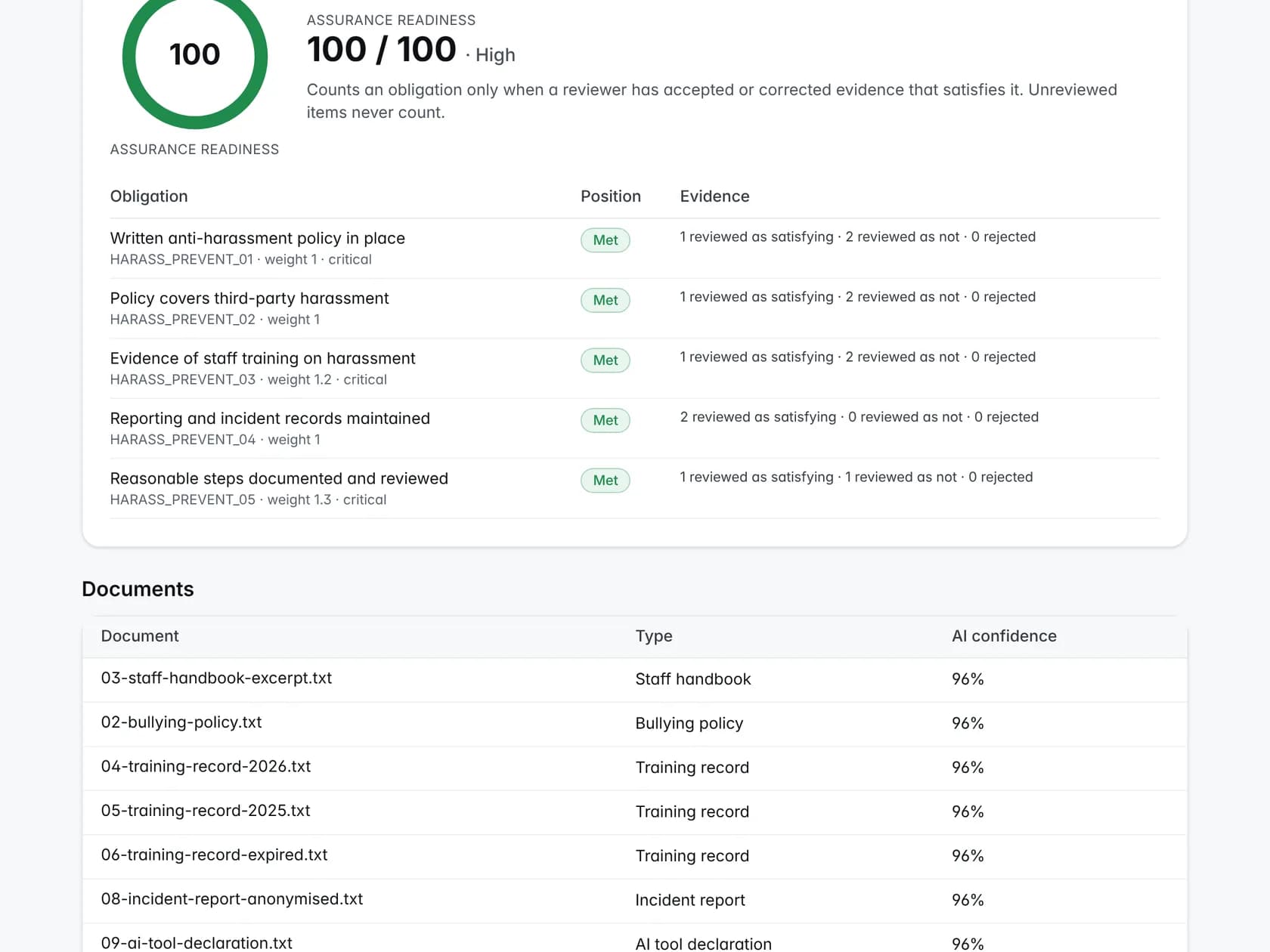
What the score means
Each obligation is met only when a reviewer has accepted or corrected evidence that satisfies it. Obligations carry different weights, and the score is the share of weight that is met. 70 or more is shown as high, 40 to 69 as partial, below 40 as low.
If a critical obligation is not met, the pack says so on its cover, whatever the score.
A record that shows if it has been changed
Every AI finding, review decision, pack and download is written to a log. Each entry carries a fingerprint of the entry before it, so an edit to the past cannot go unnoticed.
If anyone edits an old entry, its fingerprint changes and every later entry stops matching.
What happens to your documents.
after the last run that used a document ends, the file and its extracted text are deleted. Unused uploads go 30 days after upload.
with your pack: the file name, its fingerprint, the quoted passages, and every review decision.
whenever your documents change. Each run reads and counts its documents afresh.
See it on your own documents
Free for 14 days. No card needed. Upload a policy and see what the evidence looks like.